

Preferences
Save personal presentation, layout and alert choices for the workspaces you use.
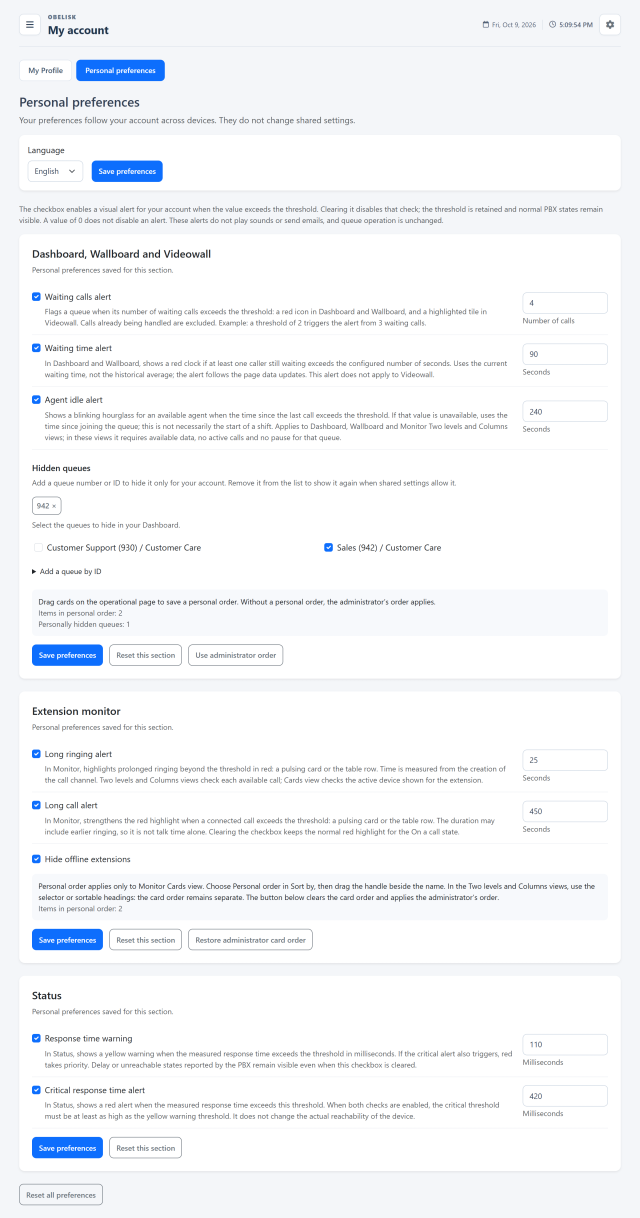
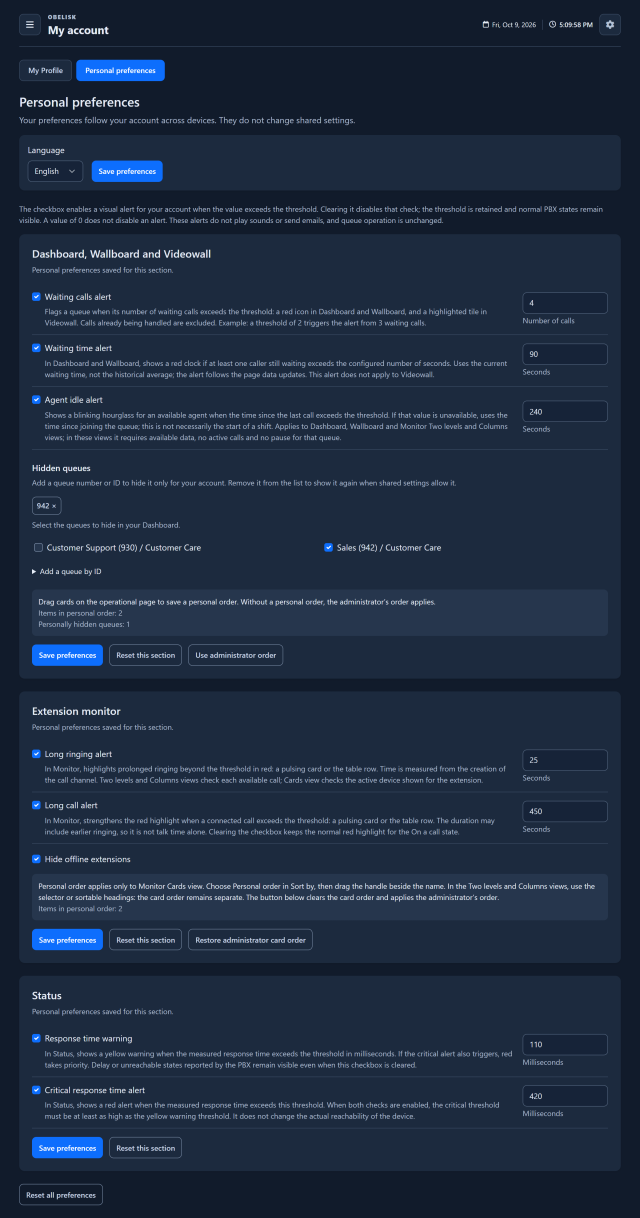
Slide the divider to compare the same workspace.
DarkOne shared setup. Your way of working.
The administrator organises shared views and access. Each Team Leader adds personal preferences to make their permitted workspace easier to read and faster to use.
The organisation defines the common frame
Groups, queue aliases, hidden resources, privacy settings and live access scopes establish the shared view.
The Team Leader refines the view
Personal order, visible cards, layout and alert thresholds refine the resources available to the account. Reset an individual section when you want to return to its defaults.
Try a look that feels like yours
This preview changes only the example. In Obelisk, save your account’s light, dark or automatic theme, rounded or pill controls, and Italian, English or Spanish interface.
Alerts that match your service
Set personal thresholds for waiting calls, waiting time and agent inactivity; for Monitor choose ringing and conversation duration, and for Status configure RTT warnings.
Put important information first
Reorder operational cards and report sections, choose Monitor columns and adapt the Videowall tile size to the display.
Personal choices within your access
Personal hiding and order apply to your account. Shared visibility and access permissions remain the framework that determines which resources are available.
Know what to look for.
Personal live-view alerts
Set waiting-count, waiting-time and agent-idle thresholds for your account.
Personal queue visibility
Choose the queues hidden from your own operational views.
More views and details 2
Personal queue alerts
Set waiting-count, waiting-time and inactivity thresholds for your own dashboard.
Monitor preferences
Save the Monitor layout and ringing or busy thresholds for the current account.
What you can do
Configuration & control
Language and display choices saved per account.
The detail that matters
Personal queue visibility, layouts and ordering.
A clearer working view
Queue wait-count/wait-time and idle thresholds.
Practical administration
Monitor ring/long-call alerts and Status RTT thresholds.