

The Obelisk crew
Small teammates.
Big personalities.
You have seen them around the platform. Now meet the whole crew: each has a role, a little character and a favourite corner of Obelisk to show you.
40faces to meet. One connected team.
The welcome committee
A smile, a map and a little curiosity. These guides make the first introduction.

The bright spark
A little sparkle for the conversations and ideas that bring Obelisk to life.
Home page
The curious guide
Knows every workspace and always has another corner of the platform to show you.
Platform
The photographer
Finds the right angle so you can explore the product one screenshot at a time.
Platform
The big-picture thinker
Connects the daily details with the reasons your team chooses Obelisk.
Why Obelisk
The idea collector
Keeps the product’s useful ideas together, ready for your next discovery.
Product highlights
The keeper of the keys
Helps you find the licence that fits your installation and your plans.
Licensing
The cookie keeper
Has a soft spot for cookies and clearly explained website preferences.
Cookie policyThe live operations crew
When the phones ring, this crew keeps people, queues and conversations in view.

The queue captain
Keeps queue pressure, agent availability and live signals on the same radar.
Dashboard
The team coordinator
Brings waiting callers and agent rows close enough for a quick, useful glance.
Wallboard
The big-screen director
Thinks in large screens, shared signals and a room that stays informed.
Videowall
The extension scout
Checks who is available, who is talking and what is happening on each extension.
Extension monitor

The coach in your corner
Knows when to listen, offer a suggestion or join the conversation.
Live supervision
The follow-up finisher
Turns “we should get back to them” into a follow-up your team can track.
Action centre
The careful listener
Revisits recordings and transcripts to find the detail worth hearing again.
RecordingsThe trail finders
Every call leaves a story. They follow the paths, compare the results and look ahead.

The number navigator
Puts volumes, service results and time patterns on one useful map.
Global Dashboard
The answer finder
Follows answered calls to understand service times and how the team performed.
Answered Calls
The second-chance scout
Looks at missed calls to help you decide where a follow-up could make a difference.
Missed Calls
The ringing detective
Investigates offers that rang without an answer, one event at a time.
Ring No Answer
The outbound explorer
Follows outgoing calls, answers and conversation times beyond the queue.
Outbound Calls
The flow conductor
Untangles queue passages and transfers so each call’s route makes sense.
Queue Routing Log
The conversation detective
Connects repeated contacts to reveal the journey behind a single number.
Contacts and journeys
The peak planner
Looks ahead at workload and staffing scenarios before the next busy spell.
Workload and forecastsBright minds, trusted hands
A team for better insight, personal workspaces and thoughtful access to your platform.

The conversation reader
Finds sentiment, recurring themes and quality signals in the story of a call.
Quality and AI
The tactical thinker
Helps Team Leaders connect the live situation with ideas for the next decision.
AI Manager
The team organiser
Gives each account its place, with the role and access it needs.
Users & access profiles

The workspace tailor
Adjusts alerts and personal choices so the working day feels more like yours.
Preferences
The privacy custodian
Keeps the website’s privacy information easy to find and understand.
Privacy policy

The access archivist
Keeps the sign-in trail ready when you need to see who accessed the platform.
Access logThe workshop crew
Behind a well-run platform, there is a crew that enjoys putting things in order.

The technician
Finds the right settings and helps administrators keep their workspace in order.
Operational views
The operations chronicler
Keeps a trace of operational actions so the team can review what happened.
Operational action log
The creative touch
Brings labels, appearance and the details of your installation into harmony.
Customization
The data librarian
Knows where catalogues and database settings belong, without losing the thread.
Database & catalogues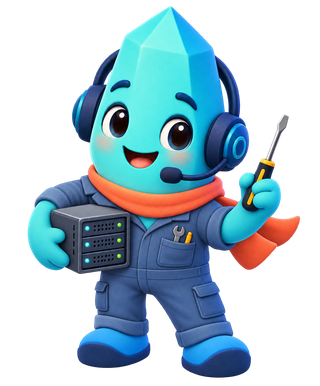
The systems mechanic
Keeps system settings and utilities within reach of the people who maintain them.
System & utilities

The configuration keeper
Keeps configuration backups on the checklist before the next change.
Configuration backup
The installation doctor
Reads diagnostic clues to help you understand where the installation needs attention.
Installation diagnostics