

Users & access profiles
Manage accounts, access profiles, page permissions and the resources each user may view.
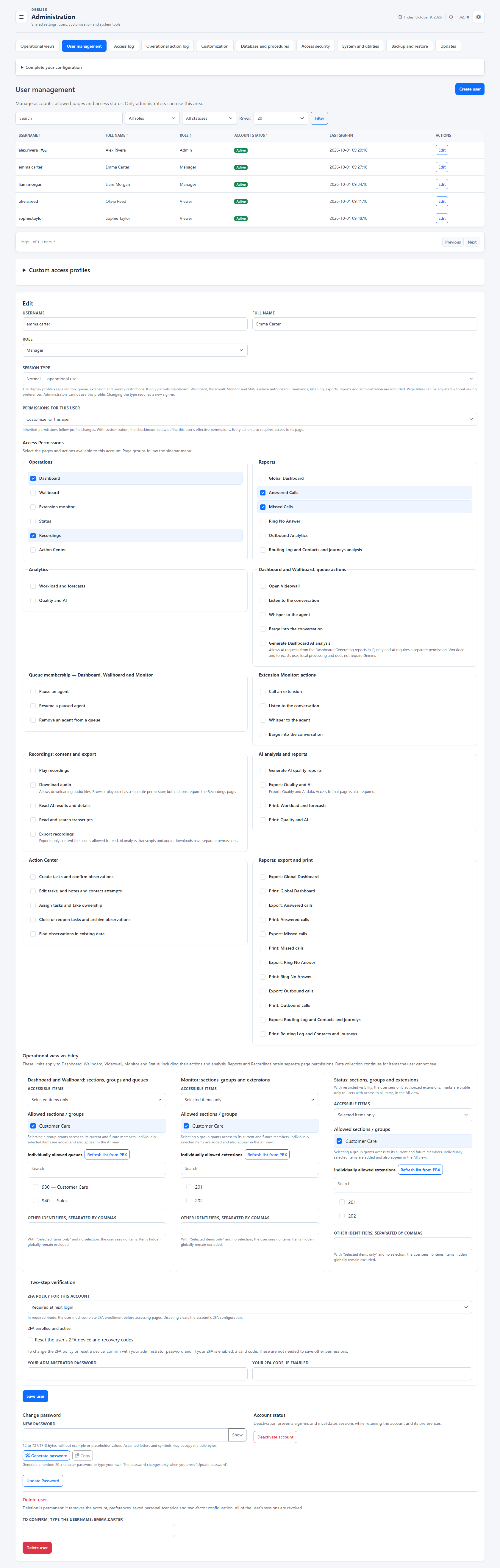
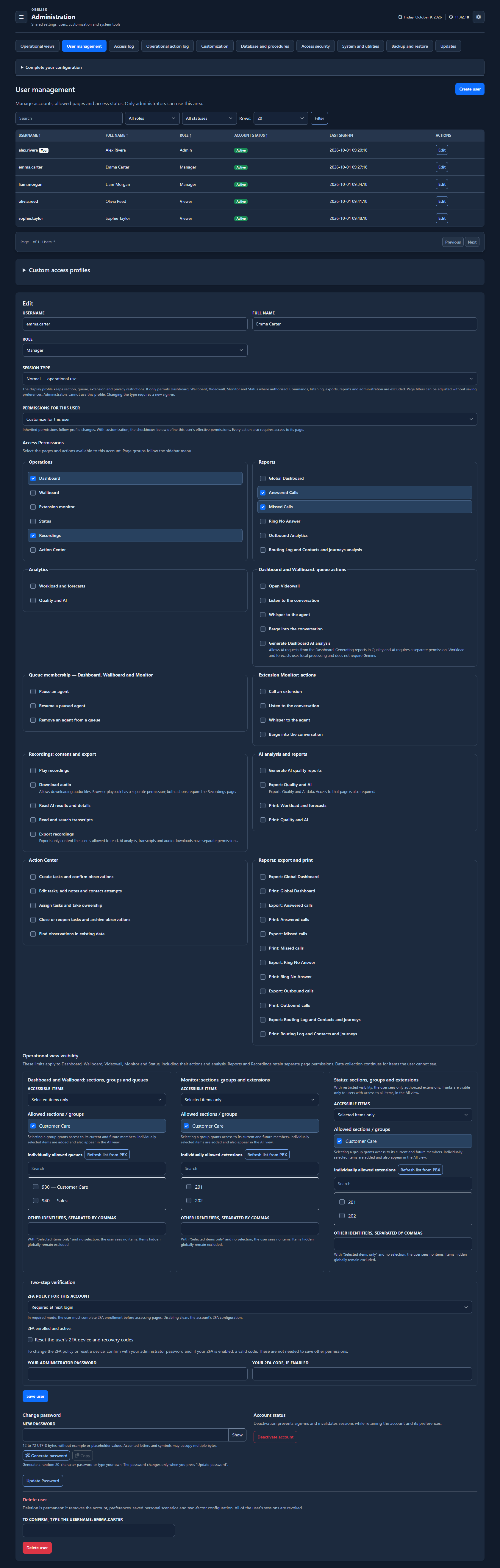
Slide the divider to compare the same workspace.
DarkThe right access for each responsibility.
Decide which pages a person can open, which actions they may perform and which live resources belong in their view. Reuse an access profile across accounts, then set each account’s operational scope.
1. Choose the workspaces
Grant the needed pages and views: Dashboard, Wallboard, Videowall, Monitor and Status can be selected for each role.
2. Choose the actions
Control pause, resume, removal, direct calling, listening, coaching and conference individually. Recording playback, download and analysis have separate permissions.
3. Choose the live resources
Select entire groups or individual queues and extensions. Queue scope is shared by Dashboard, Wallboard and Videowall; Monitor and Status have independent extension scopes.
Three responsibilities, three starting points
Service Team Leader
Dashboard and Wallboard; pause and resume the team’s queues; Monitor for the selected extensions.
IT support profile
Monitor and Status for the assigned sites. Enable direct calling separately; choose whether live supervision is needed.
Dedicated display account
Use the Screen session profile and grant Videowall access for the selected queues. A dedicated account keeps the wall display separate from a Team Leader’s personal login.
These are configuration examples. Create reusable access profiles for your organisation, assign them to multiple accounts, or choose custom permissions for an individual account. Resource visibility is configured per account.
Protect the account with a second factor
Choose a disabled, optional or required 2FA policy for each account. Users configure their authenticator; the administrator can review its status and reset enrolment through the protected account controls.
Live resource visibility and page permissions work together. Use page, export and recording permissions to decide access to those tools; the per-queue and per-extension scopes described here apply to the live workspaces.
Organise groups and shared viewsWhat you can do
Manage the account lifecycle
Create, disable and manage accounts.
Reusable access profiles
Administrator, editable Manager/Viewer and custom profiles.
Pages and actions, separately
Inherit profile permissions or set custom page/action grants.
Resources within scope
Resource scopes for Dashboard, Monitor and Status.
Account protection
Password and 2FA administration.
Dedicated display accounts
Assign a Display session profile to dedicated non-administrative accounts while retaining the chosen queue, extension and privacy restrictions.