
One platform.
Every angle of your contact centre.
Explore the tools that connect live operations, call history, quality and administration. Find the view that answers your next question.
Find your tools
Stay close to the team.
From the first waiting caller to the next action: follow the queues, understand agent availability and keep the conversation in view.
Dashboard
Follow waiting callers, agent availability and queue health in one live workspace, then open the detail you need to support the team.
Explore the workspace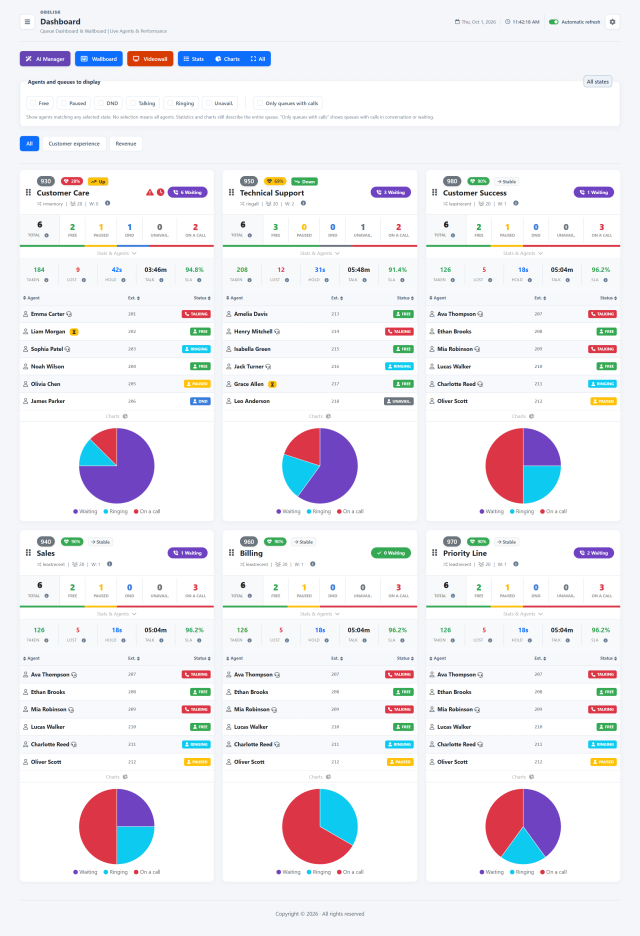
Wallboard
Bring queues and agents to the foreground in a compact view that helps supervisors follow availability, waiting calls and changing demand.
Explore the workspace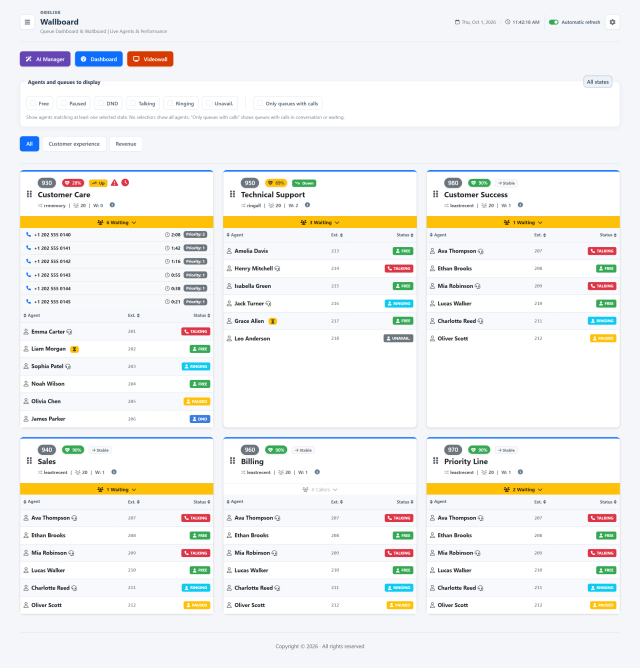
Videowall
Show the essentials on a large screen: queue names, waiting calls and conversations, arranged in clear tiles that fit your operational space.
Explore the workspaceExtension monitor
Connect each extension with its devices, live conversations and queue activity, using the layout that makes your team easiest to follow.
Explore the workspaceLive supervision
Choose the right supervision mode for the moment: listen to understand, whisper to coach, or join the conversation through your supervisor extension.
Explore the workspaceStatus
Bring phones, softphones, reported versions, registration states and response latency into one view. Give IT a practical starting point for device maintenance and faster investigation.
Explore the workspaceRecordings
Search your recording archive and move from audio to saved summaries, transcripts and quality indicators in one place.
Explore the workspaceAction centre
Bring missed-call patterns and saved AI findings into a shared action centre, then assign ownership and record what happens next.
Explore the workspaceEvery call leaves a story. Read it.
Compare results, investigate missed opportunities and reconstruct the path of a call, with a dedicated view for each question.
Global Dashboard
Bring call volumes, service outcomes and queue patterns into one decision-making view. Give team leaders the evidence to spot pressure, investigate gaps and review how people are deployed across the operation.
Explore the workspace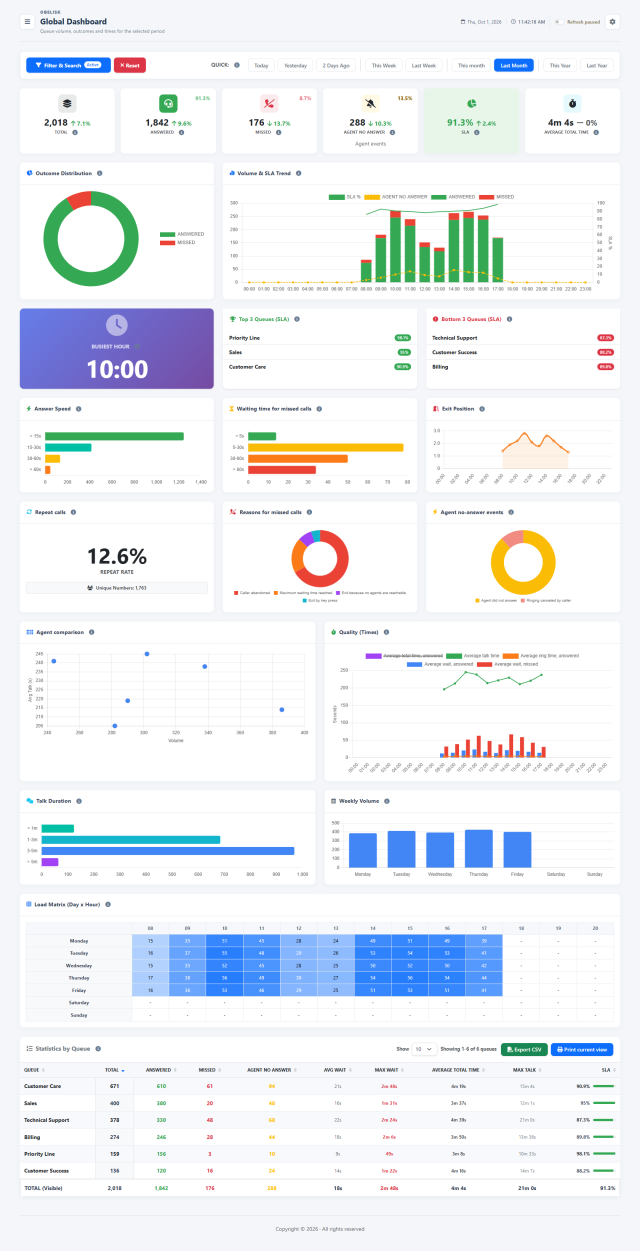
Answered Calls
Explore waiting, ringing and conversation time with the queue, agent and geographic detail needed to understand your answered-call results.
Explore the workspaceMissed Calls
Bring missed-call volume, waiting time, exit position and causes together to identify the queues and periods that deserve closer attention.
Explore the workspaceRing No Answer
Examine the ringing attempts that ended without an agent answer, with a dedicated view of durations, queues and operators.
Explore the workspaceOutbound Calls
Compare outgoing volume, answer rates and conversation time across operators and lines, with the call detail behind every result.
Explore the workspaceQueue Routing Log
Move from queue activity to the sequence of events for a call, with routing context and linked recordings available from the same investigation.
Explore the workspaceContacts and journeys
Connect distinct calls from the same identifiable number with observed queue passages, so repeated attempts and service journeys become easier to examine.
Explore the workspaceSee further. Decide with context.
Bring workload, service quality and suggestions together. Local analysis supports planning; optional AI adds insight when you choose to use it.
Workload and forecasts
Turn queue history into local forecasts and staffing scenarios. Help team leaders anticipate peaks, compare required and planned coverage by time band, and choose how to support each queue with the people available.
Explore the workspace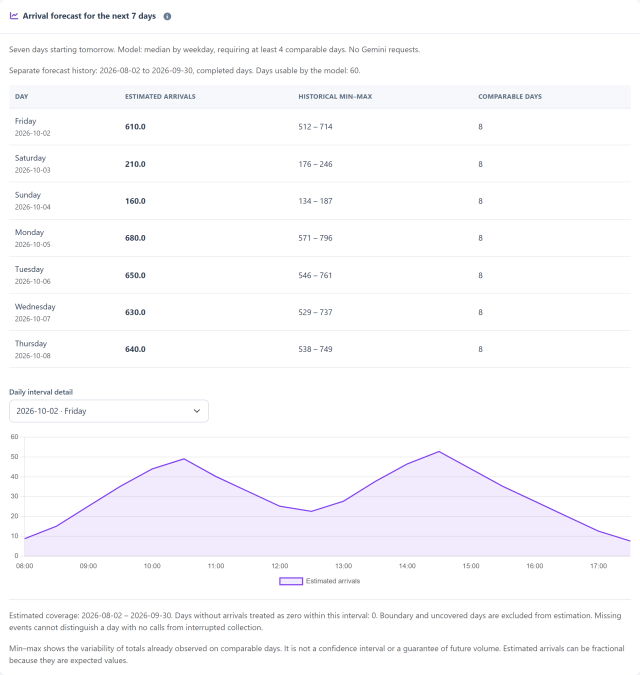
Quality and AI
Bring saved conversation analysis into a single view of sentiment, quality, resolution and business signals, with period comparisons and access to the supporting examples.
Explore the workspace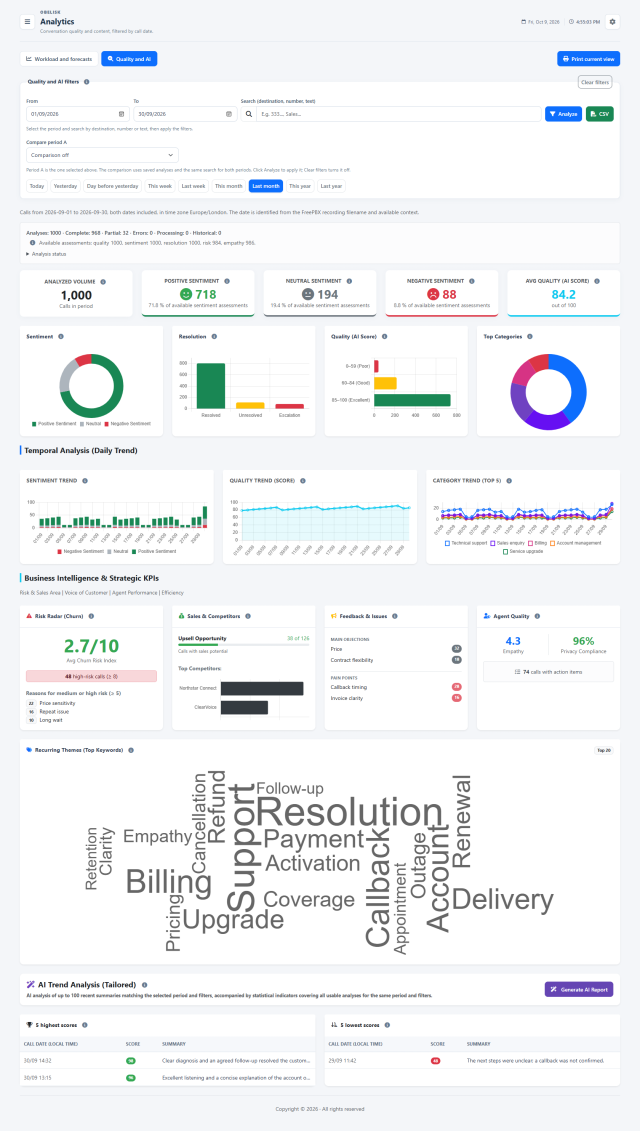
AI Manager
Ask for an AI-assisted reading of live queues, agent availability and available trends to support the next supervisory decision.
Explore the workspace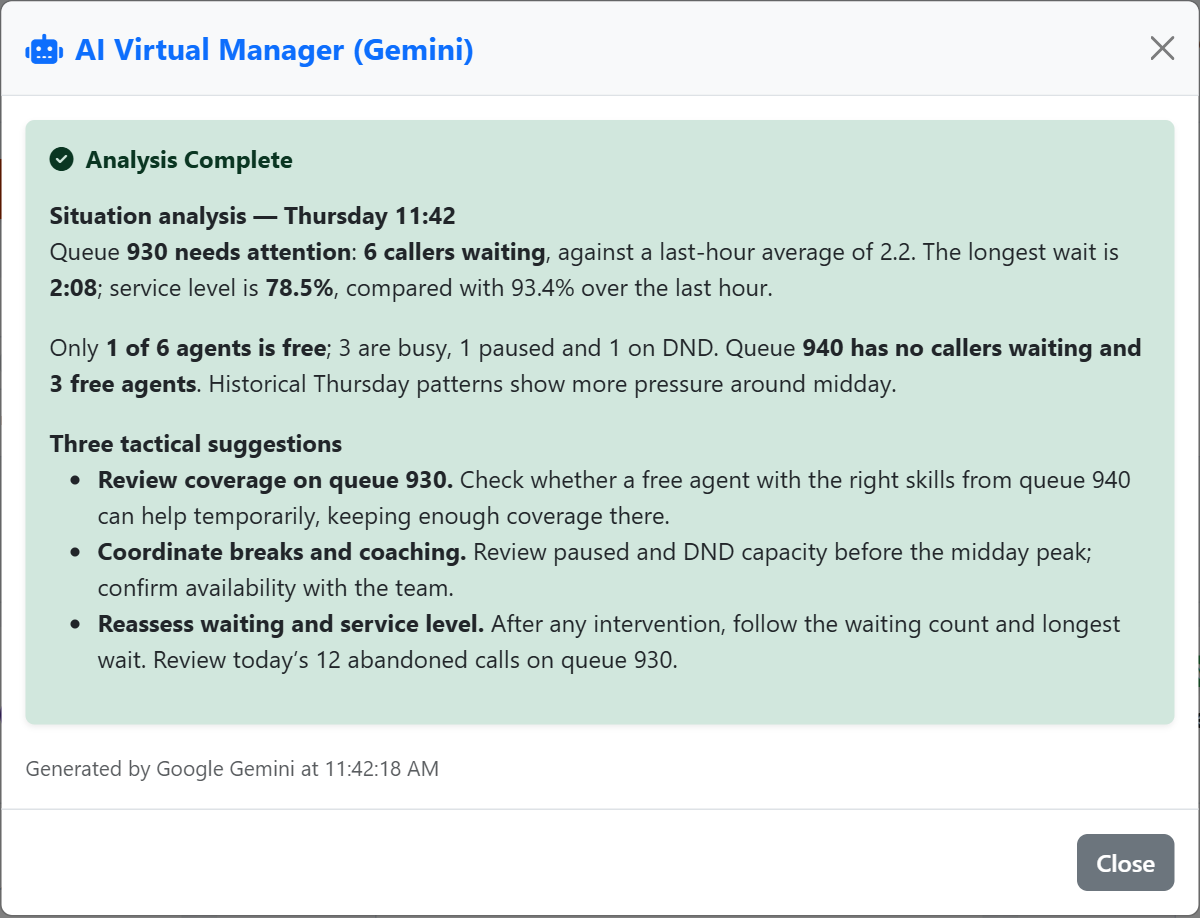
Your environment. Your way of working.
Give each person the right access, organise operational views and manage the settings, checks and preferences that keep daily work under control.
Operational views
Organize queues, extensions and devices into meaningful groups, with shared names, order and privacy choices that make the workspace easier to use.
Explore the workspaceUsers & access profiles
Combine reusable profiles with individual permissions and resource visibility, from administrators and supervisors to dedicated read-only screens.
Explore the workspaceAccess log
A dedicated history brings authentication and account security events together, with the user, actor and connection context needed for an administrative review.
Explore the workspaceOperational action log
Keep a dedicated record of queue membership controls and live supervision requests issued through Obelisk, with their source and reported outcome.
Explore the workspaceCustomization
Bring your name, logo and terminology into Obelisk while keeping the interface available in English, Spanish and Italian.
Explore the workspaceDatabase & catalogues
Manage report catalogues, number normalization, geography, procedures and scheduled events, with a preview before restoring selected SQL objects.
Explore the workspaceSecurity
Bring network access rules, trusted proxies and login protection into an administrative workspace with optional security notifications.
Explore the workspaceSystem & utilities
Configure system identity, sessions, PBX connections, AI and email reports. Review background processing, retention, diagnostics and licence settings.
Explore the workspaceConfiguration backup
Keep accounts, permissions, operational views and configuration together in a password-protected archive. Inspect the restore preview before applying it to a compatible Obelisk installation.
Explore the workspaceInstallation diagnostics
Check the foundations behind your contact center: PHP, application paths, database access and Asterisk connectivity. Read clear results from one administrative workspace.
Explore the workspaceUpdates
Review package checks, changed and preserved files, required schema changes and recorded progress before running the generated server command.
Explore the workspaceProfile
Keep personal password and two-factor settings within reach, following the access policy assigned to your account.
Explore the workspacePreferences
Save language, display choices and personal alert thresholds to your account so the workspace remains familiar as you move through the product.
Explore the workspaceYour next view starts here.
Explore how Obelisk fits your environment and choose the tools your team needs.