

Profile
Manage personal account security through password changes and authenticator settings.
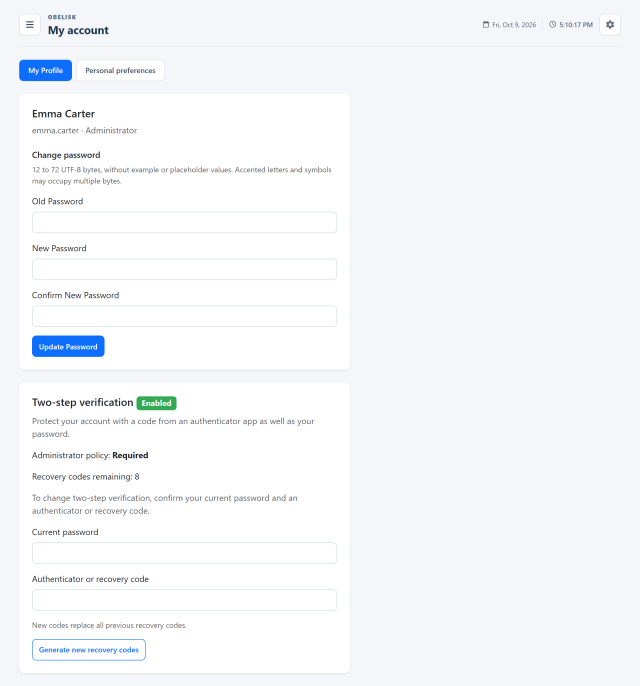
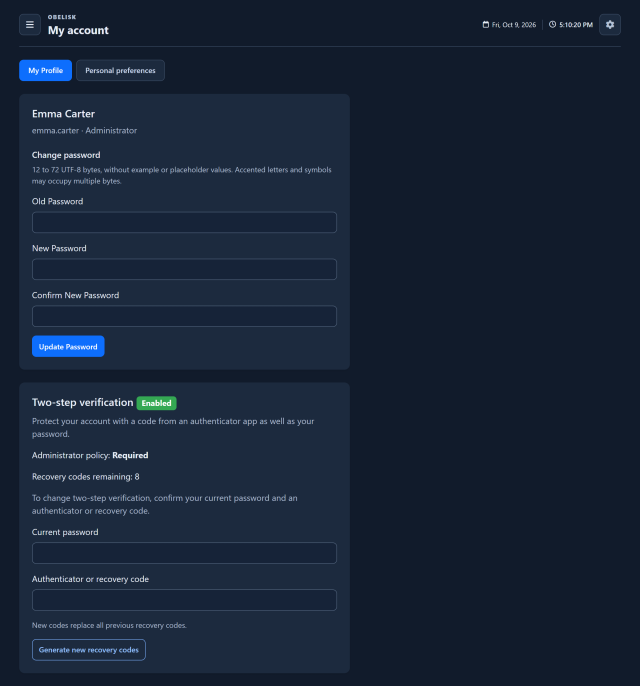
Slide the divider to compare the same workspace.
DarkKnow what to look for.
Two-step verification
Check the authentication policy and manage authenticator protection and recovery codes.
More views and details 2
Account and password
Check the account identity and change the password using the current-password verification.
Two-factor authentication
Review authenticator status and the recovery options available to the signed-in account.
Read the signal.
Choose the next step.
Prepare a second way to recover access
After confirming authenticator setup, store the generated recovery codes where you can retrieve them if the authenticator is unavailable. Each recovery code is for one use, so the remaining codes matter when preparing for a phone replacement or an account-access problem.
Enable authenticator-based sign-in and keep recovery codes available in a safe place. Personal account controls complement the installation’s administrative policies.
Put it to work
Review your account and change your password from the profile area.
Set up an authenticator when allowed or required, and confirm activation with a valid authentication code.
Keep the generated recovery codes available for account access when you cannot use the authenticator.
What you can do
Configuration & control
Personal account details and password.
The detail that matters
Authenticator-based two-factor setup and recovery codes.